Blog
Articles on your own site, in every language you sell in.
Blog publishes articles on your own address — yourname.moshivo.com/blog — so the searches your clients actually run land on you rather than on someone else. The address only exists once your landing page is live, since the blog sits on the same site.
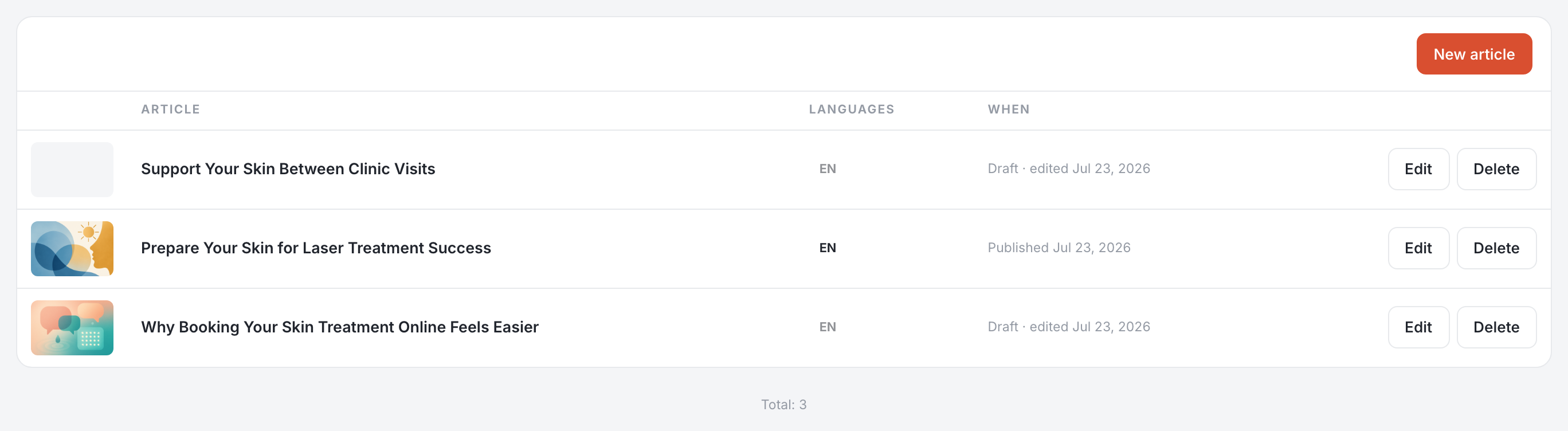
Two pages, on purpose: Blog is the articles themselves, and the Blogger tab on Writing is how they get written. One is the result, the other is the steering. The blog is an admin page; a practitioner does not see it.
Writing an article
- By hand — New article opens the editor on an empty draft. Write in Markdown (
##for a heading,**bold**,-for a list); the Preview tab shows it as a reader will see it. - From your idea — on Writing → Blogger, Ask for an article: type an angle or a rough title and press Write from my idea. Nothing is written on the spot — it lands in your blog as a draft a few minutes later.
- Without an idea — Suggest a topic lets it choose the subject itself, from the topics you follow.
The cover
Upload cover for your own image, or Generate with AI to have one drawn for the article. A generated cover takes a few minutes to appear and draws on your AI credits like everything else, and you can replace it afterwards.
The SEO tab
Three things a reader never sees and a search engine does: the article's URL, the summary shown in your article list, and the search title and description that appear in Google, each with the length it is cut at.
The URL follows the title while you draft. Once an article is published it stops following, and changing it by hand breaks the links people have already shared — the editor says so beside the field.
Other languages
Which languages you publish in, and which one is written first, are set on Blogger. Translation is then decided per article: the language chips at the top of the editor show the versions that exist, and + Thai — or whichever language you sell in — creates that one. It takes a few minutes. Nothing is translated behind your back.
Each version is a real article of its own: its own address, its own title and description, its own publication date. A Thai version can be live while the English one is still a draft, and correcting one does not touch the others.
Publishing
- Publish now — online immediately.
- Schedule — pick a date and time; it goes out on its own.
- Unpublish — takes a published article back off the site, as a draft.
- Delete — removes it, after a confirmation.
Writing on a rhythm
On Blogger, articles are written only when you ask unless you tick Write articles on a schedule — then once a week, twice a week or once a month, with the next date shown. Each one waits for you as a draft. There is a second tick that publishes them straight away; it warns you that nobody will have read them first, which is the whole of the decision.
Topics to followis what the writer reads before it chooses a subject. Add a few ("aesthetic clinics Bangkok") and we build the news feed behind them, so the articles answer what is being said in your field now rather than in general.
Its voice
The instructions the Blogger follows sit at the top of its tab and work like every other assistant surface: Teach a correction, Edit them yourself, Lock to keep them. See Writing.
Turning an article into a post
In Social, Write with AI can write from a published article: pick one and it drafts a caption and appends the link. One article, several posts. The picker only appears once something is published — a post cannot link to a draft.
The blog is part of the Growth plan.