Inbox
Every messaging channel in one list.
The Inbox gathers every conversation from your connected channels — LINE, WhatsApp, Messenger, Instagram DM and email — in one list. Connect them on Channels: LINE with your Moshivo specialist (guide), WhatsApp yourself in about two minutes (guide), Messenger and Instagram through your Facebook Page.
The list holds the 100 most recent conversations, newest first, with an unread counter that clears when you open one. New messages arrive on their own; there is nothing to refresh.
Who answered
A thread shows three kinds of message, told apart by shape rather than by colour alone. The client's message is filled grey on the left. Your colleague's reply is white with a coral outline. The assistant's is white with a carbon outline. Under each outgoing message, the name of whoever wrote it — a colleague, or the assistant.
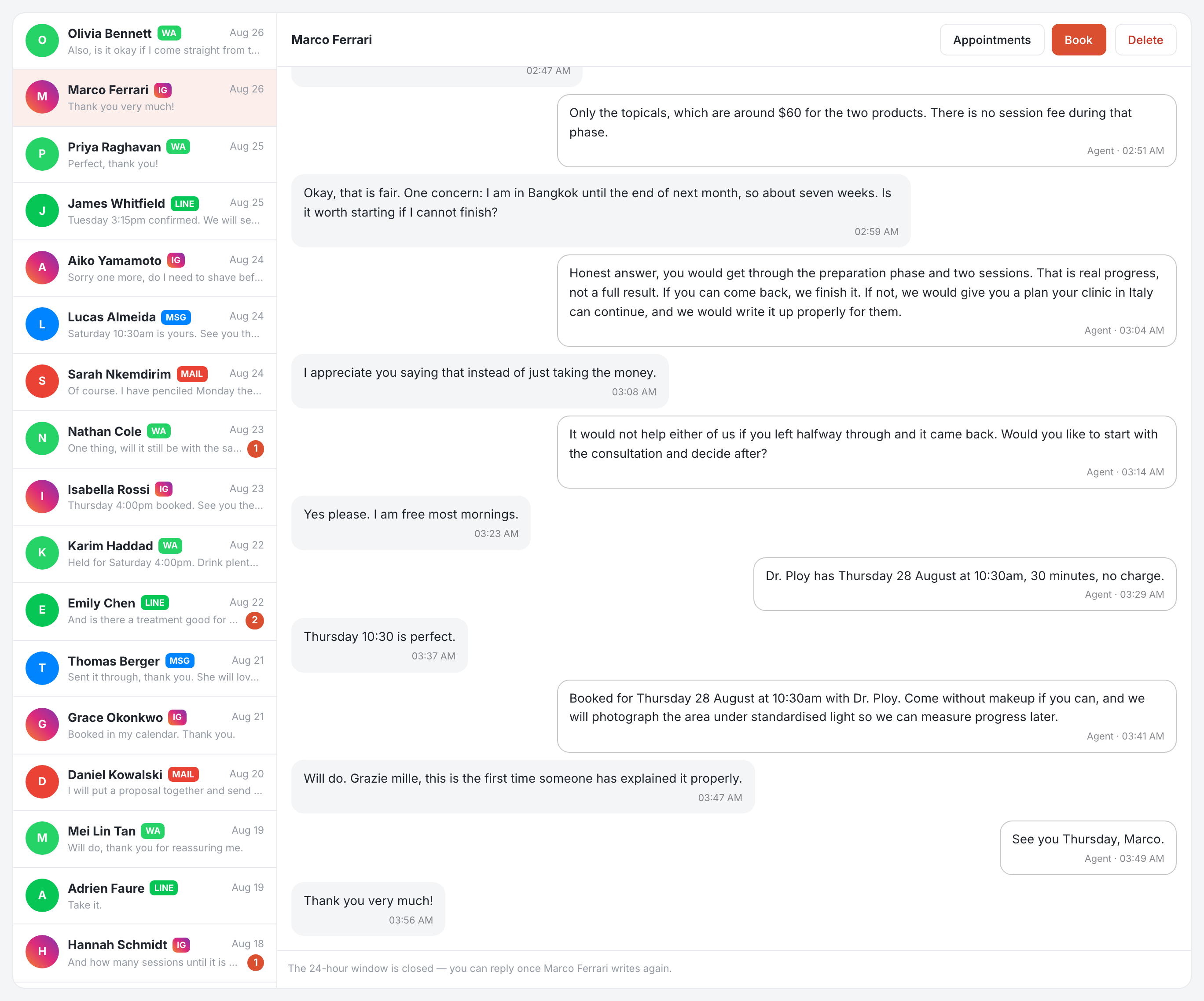
That distinction is the point of the page. A member deciding whether to step in needs to know which of the three answered last, and a thread the assistant has handled alone reads differently from one your front desk is already holding.
Replying
- Write and send — Enter sends, Shift+Enter starts a line. The message goes out on the channel the person wrote from; you never have to know which app to open.
- Rephrase — type the points to make, in whatever language suits you, and the assistant turns them into a properly worded message in the client's language. It says what you typed and nothing more.
- Suggest — a full draft to edit before sending, in your tone. What it follows is on Writing. Included from Growth; on Starter the button explains what it needs.
- Templates — your saved replies, inserted in a click and managed from the same menu.
What sits above the thread
The header carries the person's name and channel, their next appointment and the state of their inquiry, a Book button that opens the booking form already filled with who they are, and Delete for a conversation you do not want to keep. The first message from a new person creates a lead in Contacts, already linked.
WhatsApp and the 24-hour window
WhatsApp only lets you write freely for 24 hours after the client's last message. That is Meta's rule, not ours. Past it the reply box is replaced by a single button that sends one approved reopener — its blanks are filled in for you, so there is no template list to choose from — and a normal conversation resumes the moment the person answers. Email and LINE have no such window.
Answer from here rather than from the LINE app, Meta Business Suite or WhatsApp: it is what keeps conversations, contacts, inquiries and appointments linked, and lets the whole team see what has already been handled.