Social
What you publish, what people say back, and what it reached.
Social is three tabs, because a social account asks three different questions. Posts is what you publish. Comments is what people said underneath and nobody has answered yet. Analytics is what the accounts reached. Switching between them costs nothing and neither loses its place, so you can go and schedule a post and come back to the comment you were reading.
Six networks: Facebook, Instagram, TikTok, YouTube, LinkedIn and X. They are connected once on Channels, under Social — Instagram rides your Facebook connection, the rest have their own. Moshivo never holds your password: the network authorises us, and you can withdraw it from the same row.
Posts
New post opens the composer. Pick the networks first — several at once, one post going out to all of them — then write. Nothing is preselected on purpose: a default network quietly decides where a post goes for anyone who does not think to look.
One caption goes to every network you picked. When you pick more than one, a row of marks appears along the top of the caption box: the first is the shared caption, then one per network. Type under a network's mark and that network keeps its own version from then on, flagged with a dot so you can see at a glance which have diverged; Use the shared caption puts it back. That is what tags on Instagram and not on LinkedIn look like, without writing the post twice.
The counter follows the strictest network still using the shared caption. Picking X drops it to 280 for everyone — until you give X a caption of its own, which takes it out of that count and gives the others their full length back.
- A network you have not connected is greyed out and says why when you hover it, with the fix on Channels.
- Attaching a video greys out the networks that cannot take one, and attaching a photo greys out those that only take video. TikTok and YouTube need a video; Instagram needs a photo or a video; Facebook, LinkedIn and X take text on its own.
- One video per post, and images and video are not mixed. Facebook and Instagram cap at ten images.
- On LinkedIn you choose whether it goes out as you or as your company page, from the destinations you ticked on Channels. It opens on whichever you used last.
- The buttons only publish when the post can actually go out. When one is greyed, hover it and it says what is missing.
Write with AI, under the box, opens two ways of drafting. Describe what the post should be about and it writes it in your voice, for the network whose tab is open. Or pick a published article and it drafts a caption from it and appends the link — the link is added by us rather than asked of the model, because a caption that mangles a URL sends readers nowhere. Both draw on your AI credits.
Then Publish now, Schedule… for a date and time, or Save draft. YouTube is the exception: the video is uploaded from your browser straight to Google and published immediately, so it has no draft and no schedule.
The list under the composer holds the last 50 posts with their status — draft, scheduled, publishing…, published, failed — a View link to the post on the network, Edit to reopen a draft and Delete. Scheduled posts go out on their own; nothing has to stay open.
Photos and videos you upload are kept while they are needed and cleared shortly after the last post using them has gone out, which is why there is no storage figure to watch on this page. Very large files are refused at upload with the reason.
Comments
One table across Facebook and Instagram: who wrote, what they said, which post it sits under, when. A comment you have already answered is marked ✓ Replied, so the list reads as work left to do rather than as a feed. Reply opens the comment with a box for a public answer and a link to open the post itself.

✨ Suggest reply drafts an answer you edit before sending, the same way the Inbox does, and follows the same instructions on Writing. It is a Growth feature; below that the button says what it needs.
Analytics
The last 30 days per connected account: fans or followers, reach, impressions and engagements on Facebook and Instagram, views and watch time on YouTube, views and likes on TikTok, and your X posts. Under each, the recent posts with their own numbers.
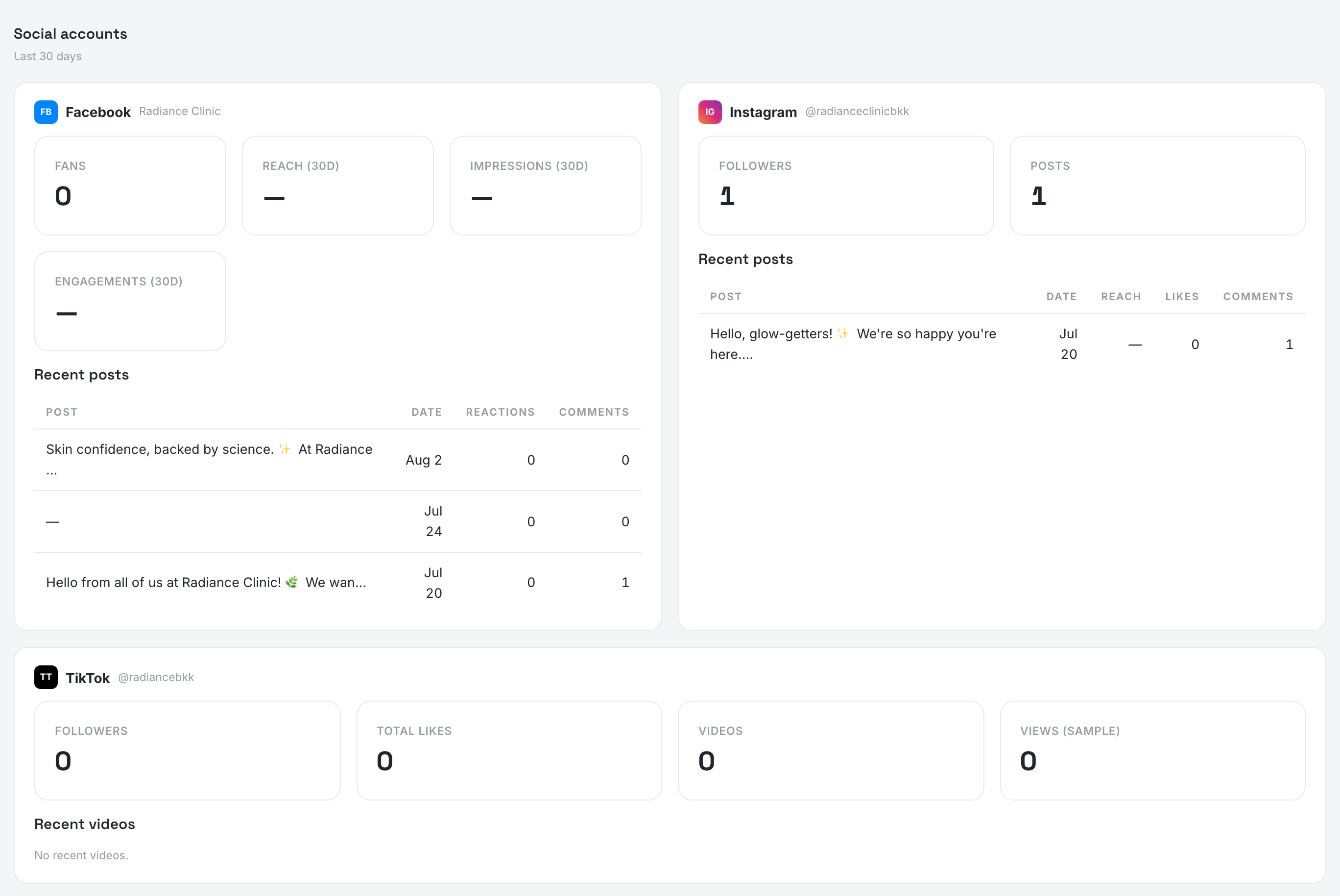
It reads live from the networks, so an account that has just been connected, or a permission the network did not grant, shows a gap rather than a zero. This is the audience half; what your landing page and your bookings did is on the Cockpit.
Instagram DMs need one extra link
Connecting Facebook is enough for Messenger: those DMs arrive in your Inbox on their own. Instagram is not — its messages only reach us once your Instagram professional account is linked to your Facebook Page, which is done once in Meta Business Suite.
Open business.facebook.com/settings → Accounts → Pages → your Page → Connect assets → Instagram account.
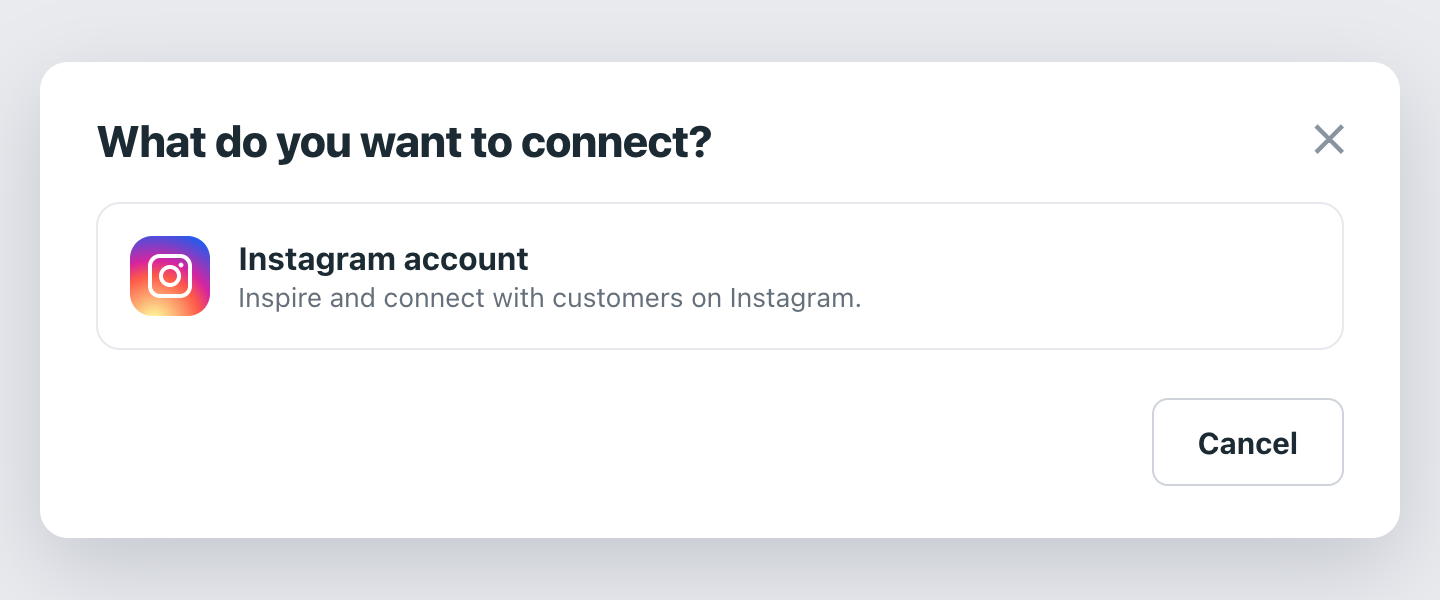
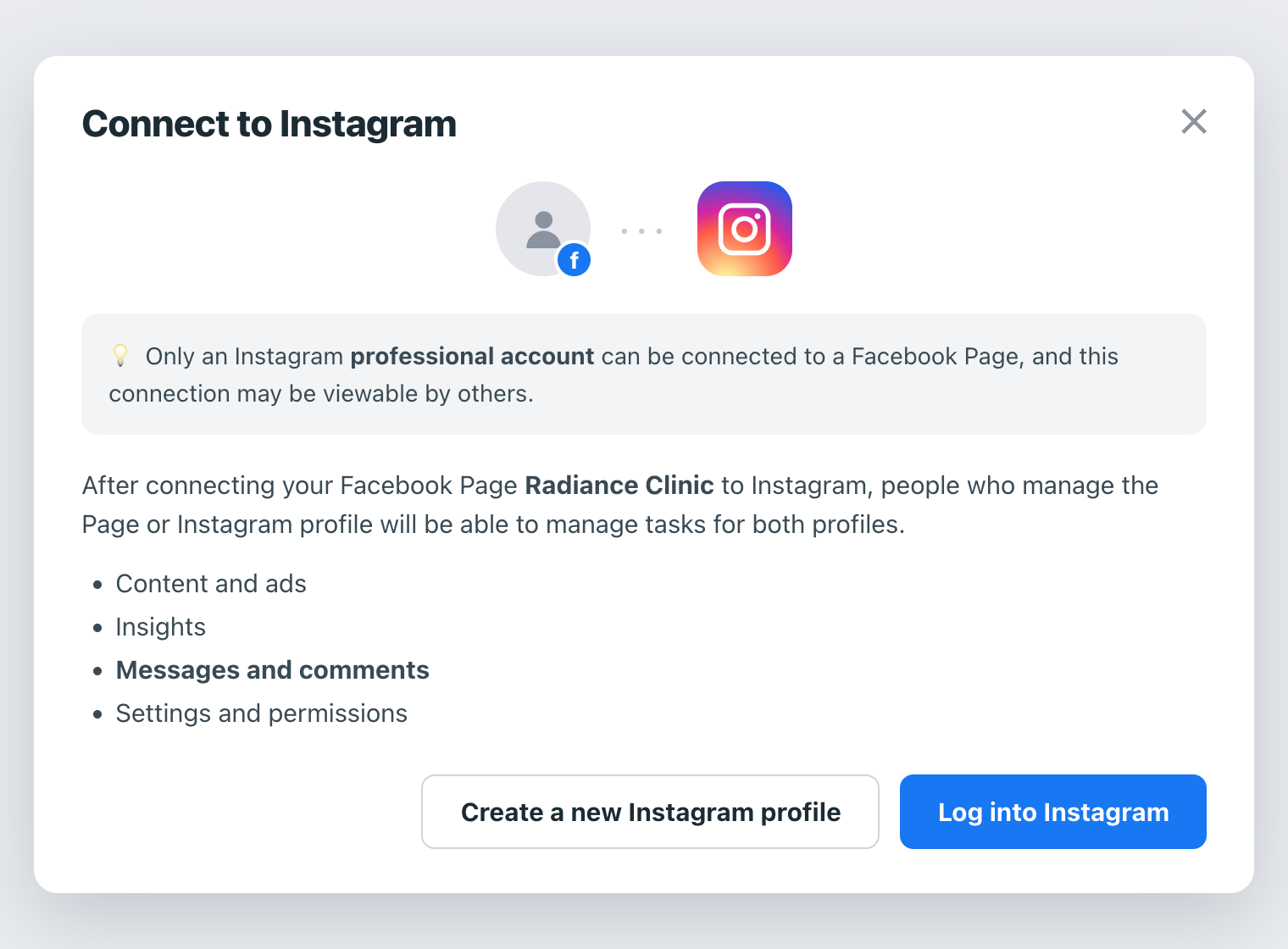
Press Log into Instagram and sign in. Only a professional account — Business or Creator — can be linked to a Page.
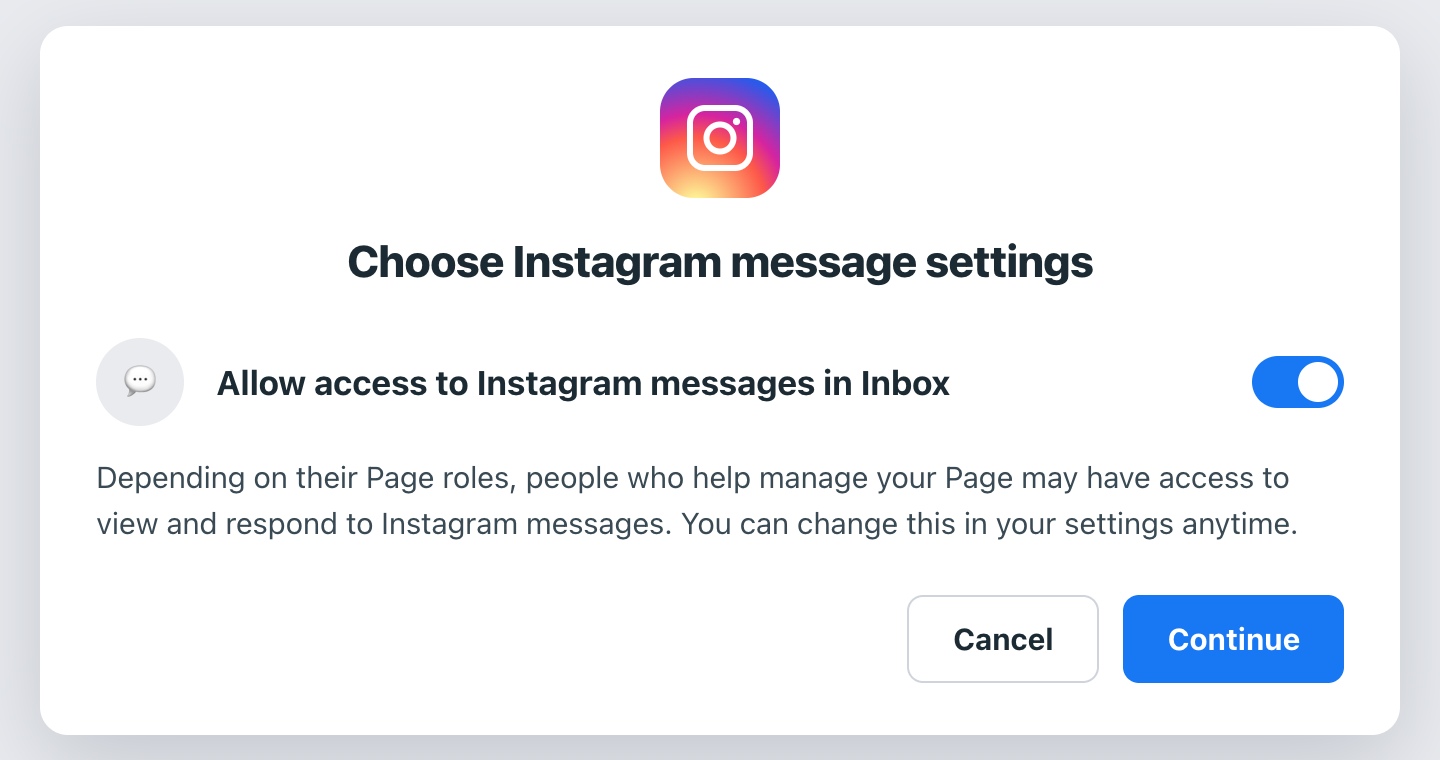
Leave Allow access to Instagram messages in Inbox on and press Continue. That switch is what lets the DMs through.
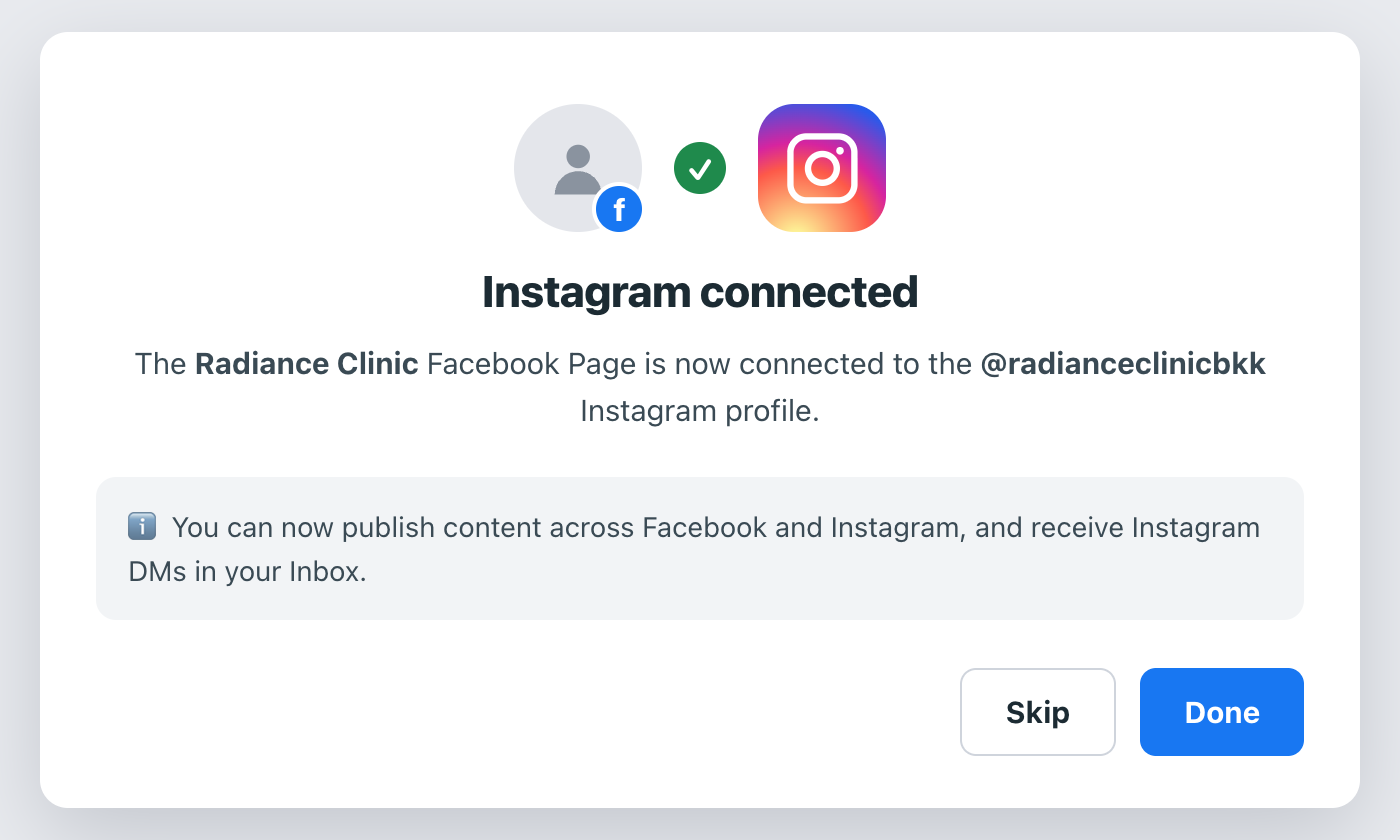
Then disconnect and reconnect Facebook on Channels, so we pick up the account that has just been linked. A first message from a stranger can land as an Instagram message request; accept it once in Instagram and the conversation flows in like the others.
Social is part of the Growth plan.