Appointments
The book, the calendar, and what is still owed.
Appointments is the practice's book. It opens on a list of the most recent bookings and switches to a calendar when you want to see the shape of a week.
Two tabs
Agenda is every booking. Payments is the same book filtered down to what money is outstanding on it — a different question, so a different tab rather than a column you have to hunt for.

Finding one
- Search by client name, and filter by status, service and practitioner. The filters apply to both tabs.
- The list shows ten rows by default; the pager under it offers 25, 50 or 100, and gives the total.
- A practitioner sees their own appointments: the staff filter is locked to them rather than hidden, so it is clear why the list is short.
The calendar
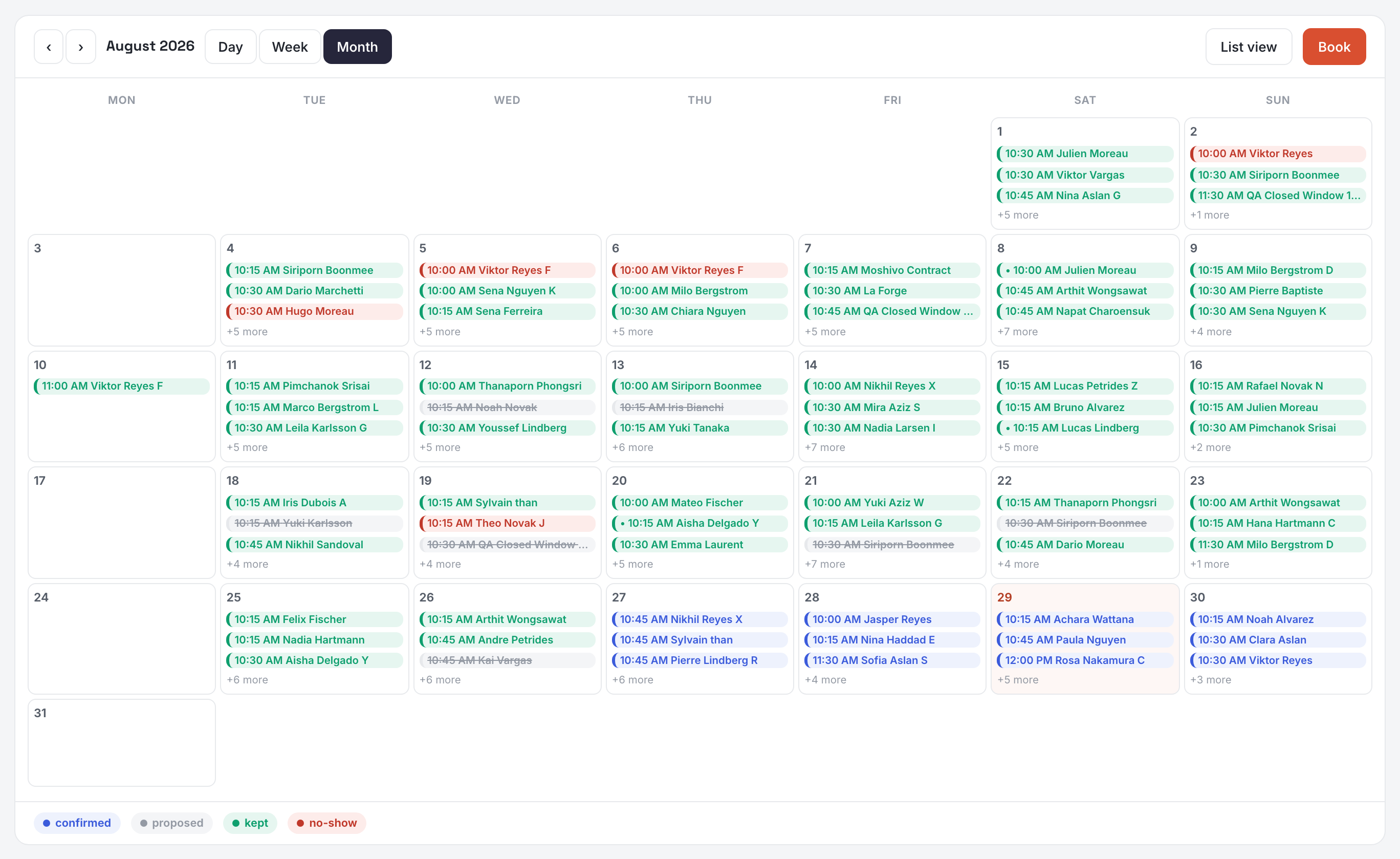
Calendar view switches the same data to day, week or month. Browse with the arrows; picking a view brings you back to today. In the month grid a day opens that day. Colours follow the status — proposed, confirmed, kept, no-show — with the legend under the grid; cancelled and recovered appointments exist too and are reachable through the status filter.
Payments
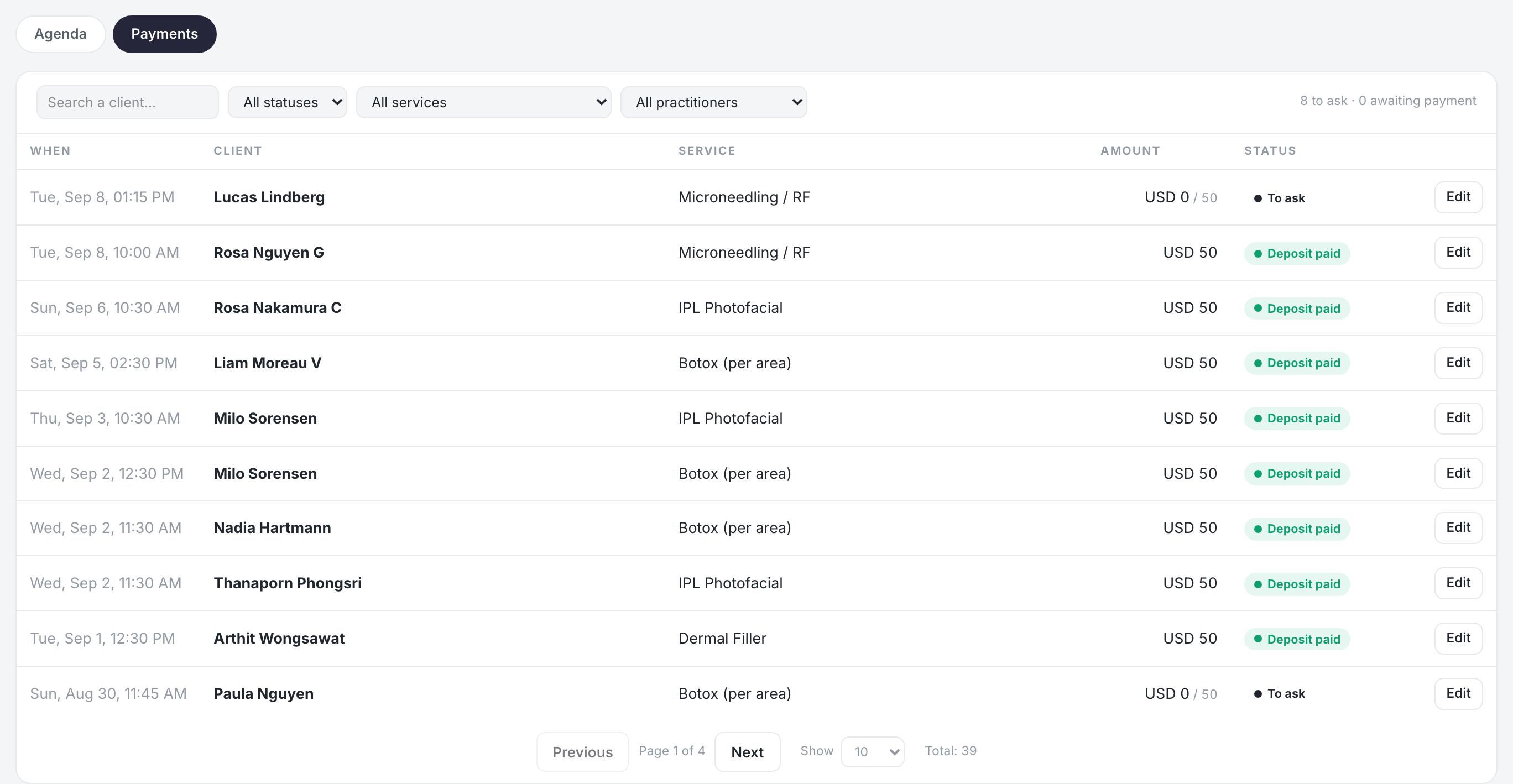
Each row carries one of four states: to ask when a deposit is due and has never been requested, awaiting payment once it has, then deposit paid or paid in full. The line above the list counts the first two, which is the only number here worth acting on. This tab reads four months either side of today rather than the range you are looking at, because a deposit left unpaid in March is still owed in July.
Booking one yourself
Book opens the form from either tab: client, service, practitioner, time — and the deposit rule for that service comes with it. A slot only exists where a service and a practitioner with hours overlap, which is set on Services and Team.
Two things appear above the list when they apply: slots a client has just given back, which can be resold today, and the payments worth chasing now.